From a description
Write what you need and how often. Mono finds what it takes, offers a skill that fits, gives it a test run that sends and saves nothing, and saves the task once it works. Change it later the same way.
Tasks
A task is a list of steps plus a schedule. Describe it in your own words and Mono builds it, or pick the steps yourself. It runs them in order, notifies you when it finishes, and records what every step did.
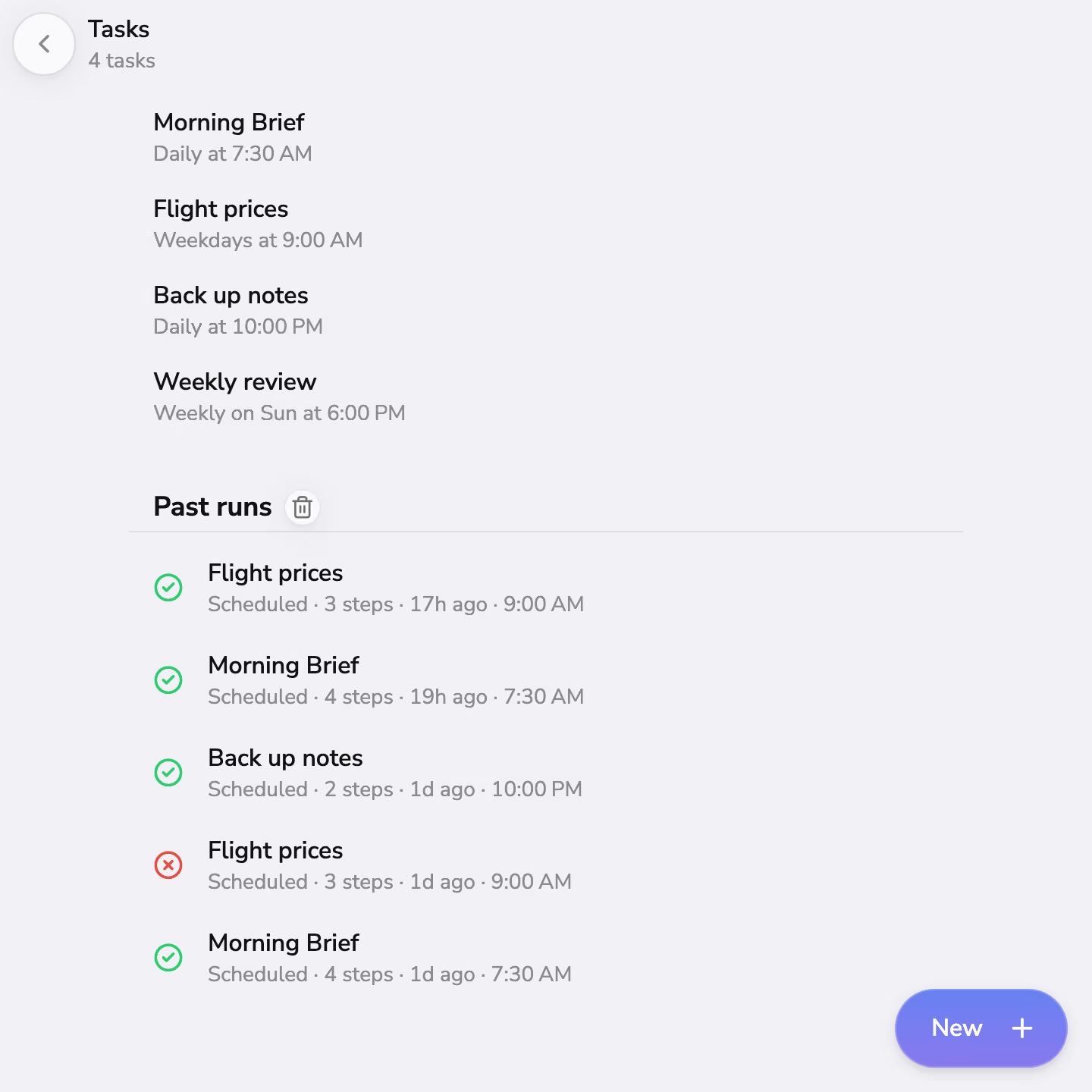
Write what you need and how often. Mono finds what it takes, offers a skill that fits, gives it a test run that sends and saves nothing, and saves the task once it works. Change it later the same way.
Manual, every few hours, daily, weekdays, or weekly on the days you pick. Times use a 24-hour picker in 5-minute steps. The scheduler runs on your devices, and you choose which ones. A task missed while the app was closed catches up the next time you open it.
Keep a result on the task, show it on your home screen, send it as a notification, add it to your calendar, write it to Vault, or hand it to a connected service.
Each run ends with a notification: Completed or Failed. Task notifications have their own toggle in Settings, separate from chat replies.
History records the trigger, module count, and time of each run. The detail view shows every step: ok, error, or skipped, with the error messages.
Pick modules from the skills you installed. They run in order and one failure doesn’t stop the rest. Cloud modules are billed in credits; on-device runs are free.
Describe the job, or pick the skills and actions yourself. They run in order, one after another.
Hourly, daily, weekdays, or the days you pick, at the time you want. Or leave it manual.
A notification tells you how it went, and the history keeps the details of every run.
Set the time once. Mono takes it from there.
Not a ping asking for attention. A job, finished.
A task is a promise: at this time, do this thing. Mono keeps a record of how every promise went. Each run lands in history with its trigger, its timing, and a step-by-step account of what happened, down to the exact error if something broke.
The scheduler lives on your device, and it is honest about it. If your phone was off at 7:30, the task catches up the moment you open the app, and the run is recorded like any other.
Any task can be started by hand, even one that is switched off.
The last 50 runs stay browsable, with per-step results.
Task alerts have their own toggle, separate from chat.
Tasks and their history sync across your devices.
Big things start small: a question, a note, one little automation. Take Mono with you and build a day that runs itself.
Download Mono